Education Management System – Key Highlights
- Core purpose: Connect academic and administrative processes across the learner journey.
- Key systems: Bring LMS learning delivery and SIS student records together with enrolment, certification, communication, and reporting.
- Implementation focus: Process mapping, requirements, platform selection, data migration, configuration, testing, training, and go-live.
- 2026 priorities: Real-time reporting, hybrid learning, automation, integration, scalability, security, and GDPR compliance.
An education management system is a software platform that brings together the academic and administrative work of running a school, university, or training organisation in one place. It typically combines a learning management system (LMS) with a student information system (SIS), alongside tools for communication, certification tracking, and analytics.
Instead of staff juggling spreadsheets, email threads, and disconnected software, everything from admissions to course completion can live in one connected system. This guide breaks down what education management systems do, how they differ from an LMS or SIS on their own, what to look for before buying one, and how a typical implementation project runs from start to finish.
What Is an Education Management System?
At its core, an education management system (EMS) is the digital backbone of an educational or training organisation. It replaces a patchwork of tools, spreadsheets, and manual processes with one platform that tracks a learner or student from first enquiry through to certification or graduation.
Most education management systems are built from a few core modules working together:
| Module | What It Does | Example Use Case |
|---|---|---|
| Admissions and enrolment | Captures applications, eligibility checks, and enrolment records | A training provider processing course sign-ups online |
| Course and curriculum management | Organises programmes, modules, timetables, and content | A university structuring a semester's course offering |
| Learning delivery (LMS) | Hosts course materials, assessments, and learner progress | Staff completing an online compliance course |
| Records and reporting (SIS) | Stores student records, grades, and attendance | An institution reporting completion rates to a funder |
| Certification and compliance | Tracks certificates, renewals, and accreditation requirements | A body issuing professional certifications with expiry dates |
| Communication | Sends automated updates to learners, staff, and partners | Reminder emails for upcoming assessment deadlines |
Education Management System vs. LMS vs. SIS: What Is the Difference?
These three terms get used interchangeably, but they cover different parts of the same problem. Here is how they compare:
| System | Primary Purpose | Typical Users | Example Feature |
|---|---|---|---|
| Learning management system (LMS) | Delivers and tracks online learning content | Learners, instructors, trainers | Course modules, quizzes, progress tracking |
| Student information system (SIS) | Manages student records, enrolment, and reporting | Registrars, administrators, compliance teams | Attendance, grades, transcripts |
| Education management system (EMS) | Connects LMS, SIS, and admin functions into one platform | Institution-wide, including leadership and funders | End-to-end learner journey, unified reporting |
In short: an LMS teaches, an SIS records, and an EMS connects the two so data does not have to be re-entered or reconciled by hand.
Core Features Every Education Management System Should Have
Before comparing vendors, it helps to know what a genuinely useful system looks like in practice:
- Enrolment and admissions workflows that reduce manual data entry
- Course and curriculum management with version control
- A built-in or integrated gradebook and assessment engine
- Certification and compliance tracking, including expiry and renewal alerts
- Automated communication to learners, staff, and external partners
- Reporting and analytics dashboards for leadership and accreditation bodies
- Integration with finance, CRM, or existing IT systems
- Mobile access for learners and field staff
- Role-based security and data privacy controls, particularly important under GDPR
Why Institutions and Training Providers Are Rethinking Their Systems in 2026
Three pressures are pushing organisations to modernise their education management setup this year:
- Manual admin is expensive. When enrolment, attendance, and reporting live in separate spreadsheets, staff spend hours reconciling data that should update automatically.
- Funders and accreditors expect real-time reporting. Training providers that rely on public or philanthropic funding are increasingly asked to demonstrate outcomes on demand, not just at year-end.
- Hybrid delivery is now the default. Blended in-person and online learning means institutions need a single view of a learner across both formats, not two disconnected records.
For a practical example of what this looks like in practice, our Salesforce-based education and training management work covers programme management, enrolment, certification, and reporting on one platform.
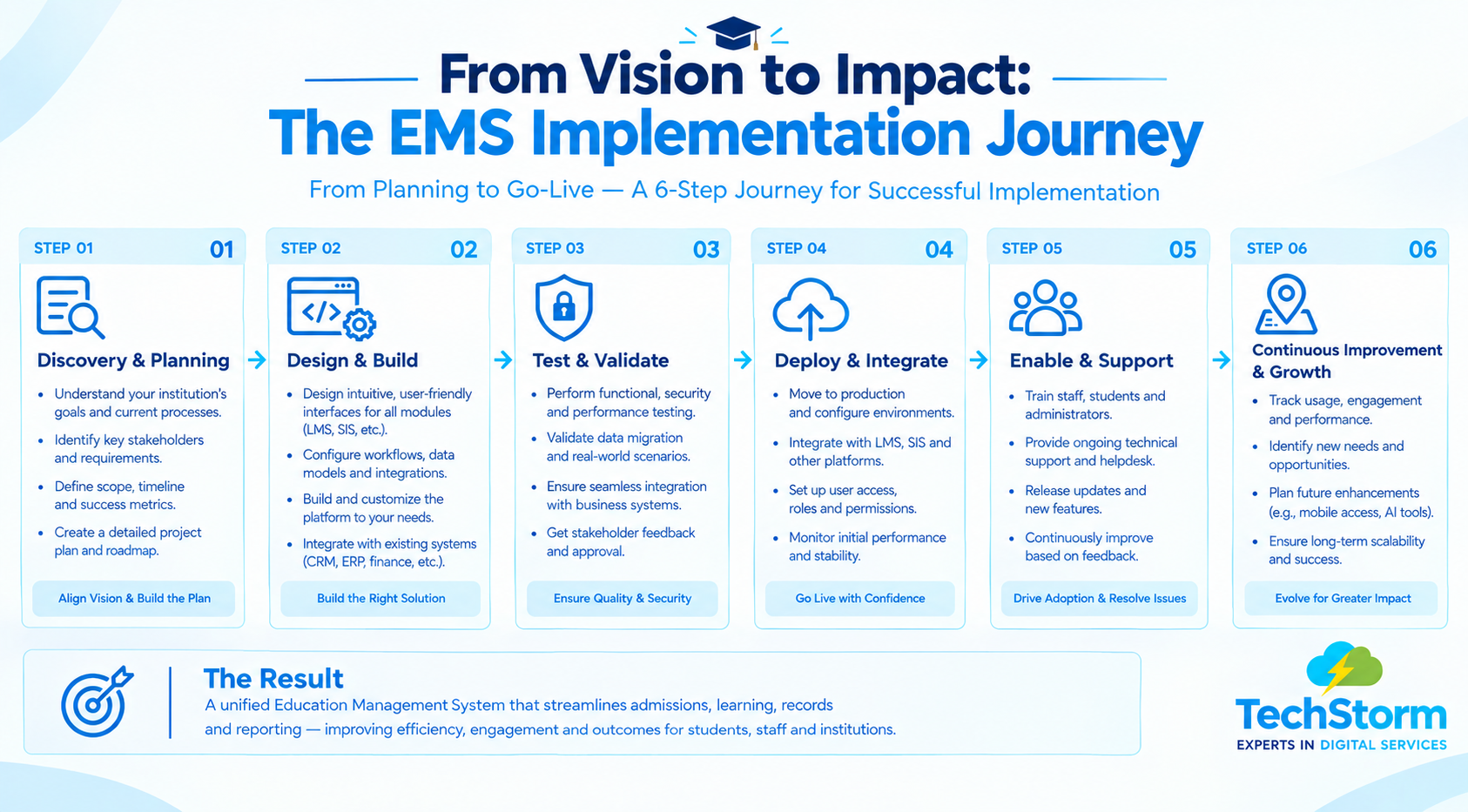
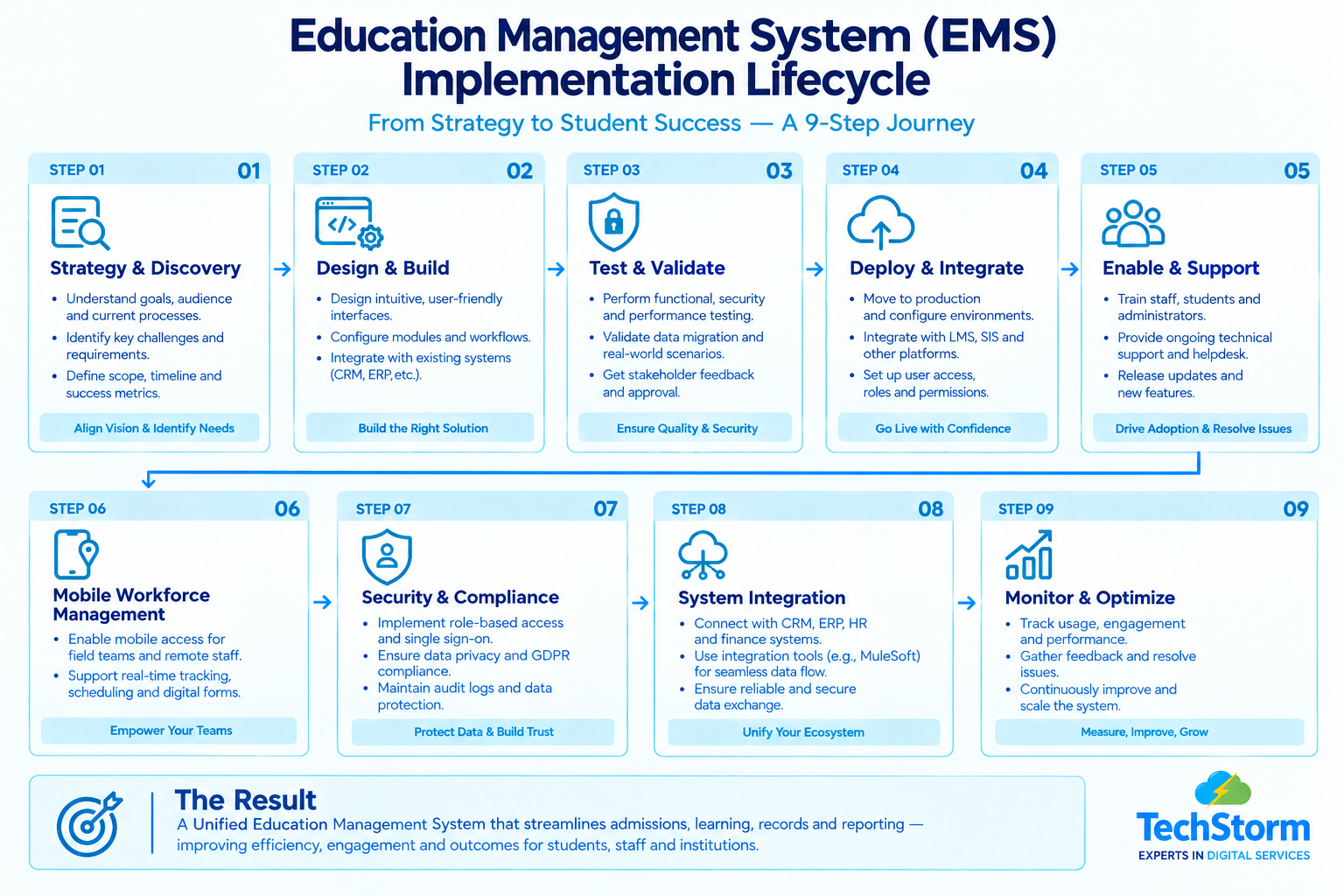
How Learning Management Platform Implementation Works: A 7-Step Process
Learning management platform implementation is rarely just “install the software.” A realistic project looks like this:
- Map current processes. Document how enrolment, delivery, and reporting actually work today, including the workarounds staff have built.
- Define requirements. Decide which modules you need now (LMS, SIS, certification tracking) and which can wait for a later phase.
- Choose a platform and partner. Weigh build-vs-buy, existing tech stack, and whether you need a certified implementation partner.
- Plan data migration and integration. Identify what data moves from old systems, how it is cleaned, and what needs to connect to finance, CRM, or HR tools.
- Configure and customise. Set up workflows, permissions, and reporting to match how your organisation actually operates, not a generic template.
- Test and train staff. Run the system with real scenarios before go-live, and give staff enough hands-on training time; this is the step most projects underestimate.
- Go live and iterate. Launch, monitor adoption, and plan a review point a few months in to refine configuration based on real usage.
Student Information System Solutions: What to Look for Before You Buy
Not all student information system solutions are built for the same scale or use case. Before shortlisting vendors, check these criteria:
- Data security and GDPR compliance: Student records are sensitive personal data with legal handling requirements.
- Integration with your LMS and finance systems: Prevents duplicate data entry and reporting errors.
- Reporting for accreditation or funding bodies: Some sectors require specific, auditable reporting formats.
- Scalability: The system should handle growth in learners or programmes without a costly rebuild.
- Support and service-level agreements: Ask what happens when something breaks during an enrolment deadline.
- Total cost of ownership: Factor in implementation, training, and ongoing administration as well as licensing.
A Real Example: Digitising Programme Management
One of the clearest illustrations of this shift is a training organisation that moved its programme management, onboarding, and certification tracking onto a single platform. Before the change, membership and training administration were handled through separate, manual processes. After digitising on Salesforce, the organisation had one connected system for onboarding, training delivery, and certification, removing much of the manual reconciliation work between departments. You can see how one training provider digitised its programme management for the fuller picture.
When to Bring in Educational Software Consulting
Not every institution has an internal IT team with the bandwidth or specialist knowledge to run a full system implementation. Educational software consulting is worth considering when:
- You need to integrate a new LMS or SIS with existing finance, CRM, or HR systems
- Your team does not have in-house experience with the specific platform you have chosen
- The project involves migrating sensitive student data and you need it handled correctly the first time
- You want an implementation partner who has done this for other education or training organisations before, not a first attempt
If any of that sounds familiar, it is worth a conversation with a technology consulting team that has handled education-sector implementations before making a platform decision.
Common Implementation Mistakes to Avoid
- Treating it as a pure IT project. Frontline staff and instructors need input early; they know where the current process actually breaks down.
- Skipping data cleanup before migration. Moving messy, duplicate, or outdated records into a new system just moves the problem; it does not solve it.
- Underestimating training time. A powerful system that staff do not know how to use well is not an improvement.
- Choosing based on price alone. The cheapest licence can become the most expensive project if it cannot handle your reporting or integration needs.
- No plan for accreditation or funder reporting. Confirm the system can produce required reporting formats before signing a contract, not after.
Talk to the Techstorm Team About Your Education Management System
If you are evaluating an LMS, SIS, education management system, or wider digital transformation, the best place to start is with your current workflows, systems, reporting requirements, and business goals. Get in touch with the Techstorm team to talk through what a fit-for-purpose education management solution could look like for your organisation.